Durability and recovery
Stacklink saves after every step, so you fix one step instead of starting over.
Every step’s result is saved. If a step fails, you fix the cause and continue from that step. Everything before it stays done.
A step failed
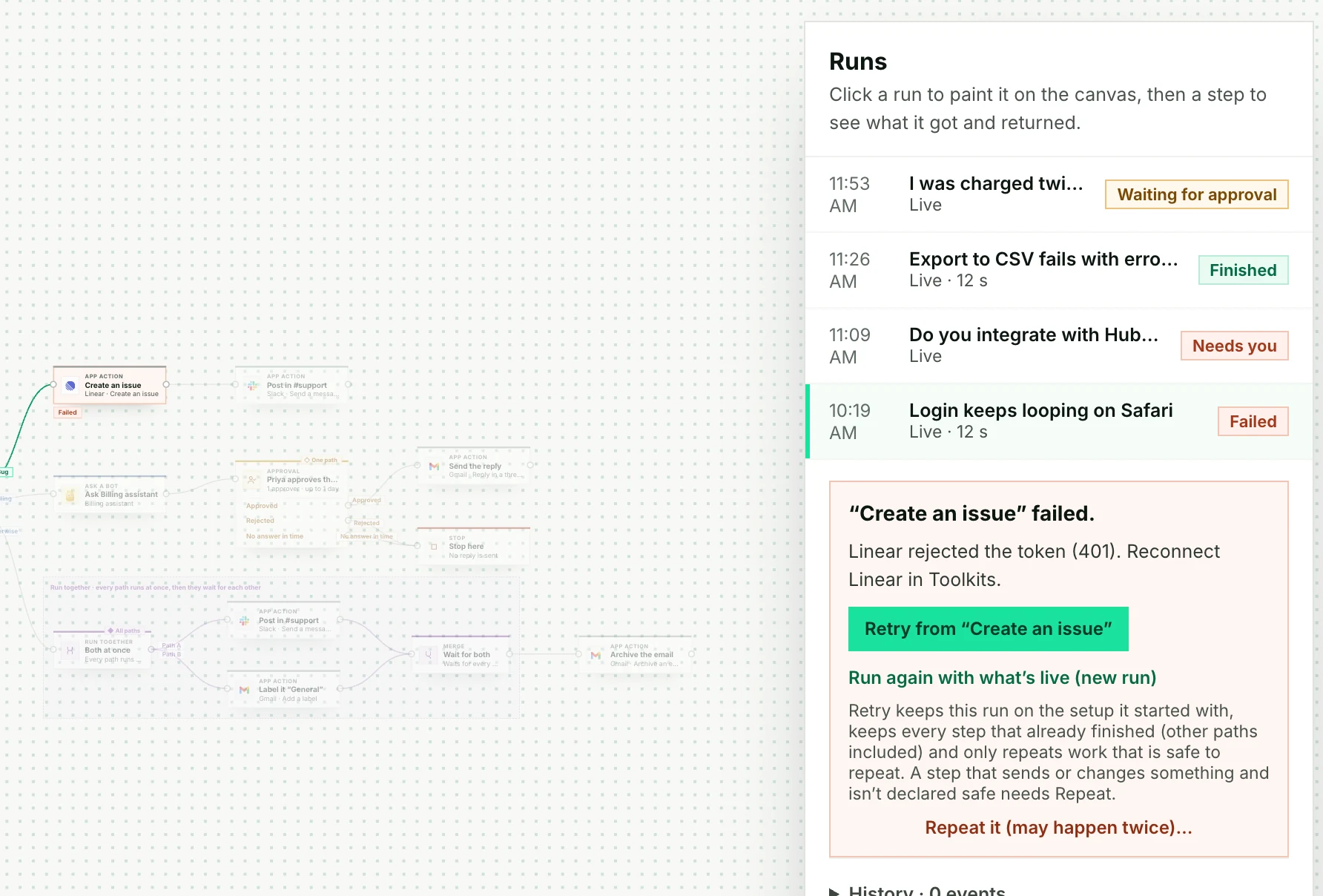
In Support email triage, the email was sorted, then Create an issue failed because Linear’s access had expired.
- Reconnect Linear in Toolkits.
- Click the failed step and check what happened.
- Use Retry from “Create an issue” where permitted. Finished steps stay done.
- If Stacklink requires review of an earlier attempt, check Linear first. Choose Repeat it (may happen twice) with a reason only if you accept that it could happen twice.
Not sure it happened
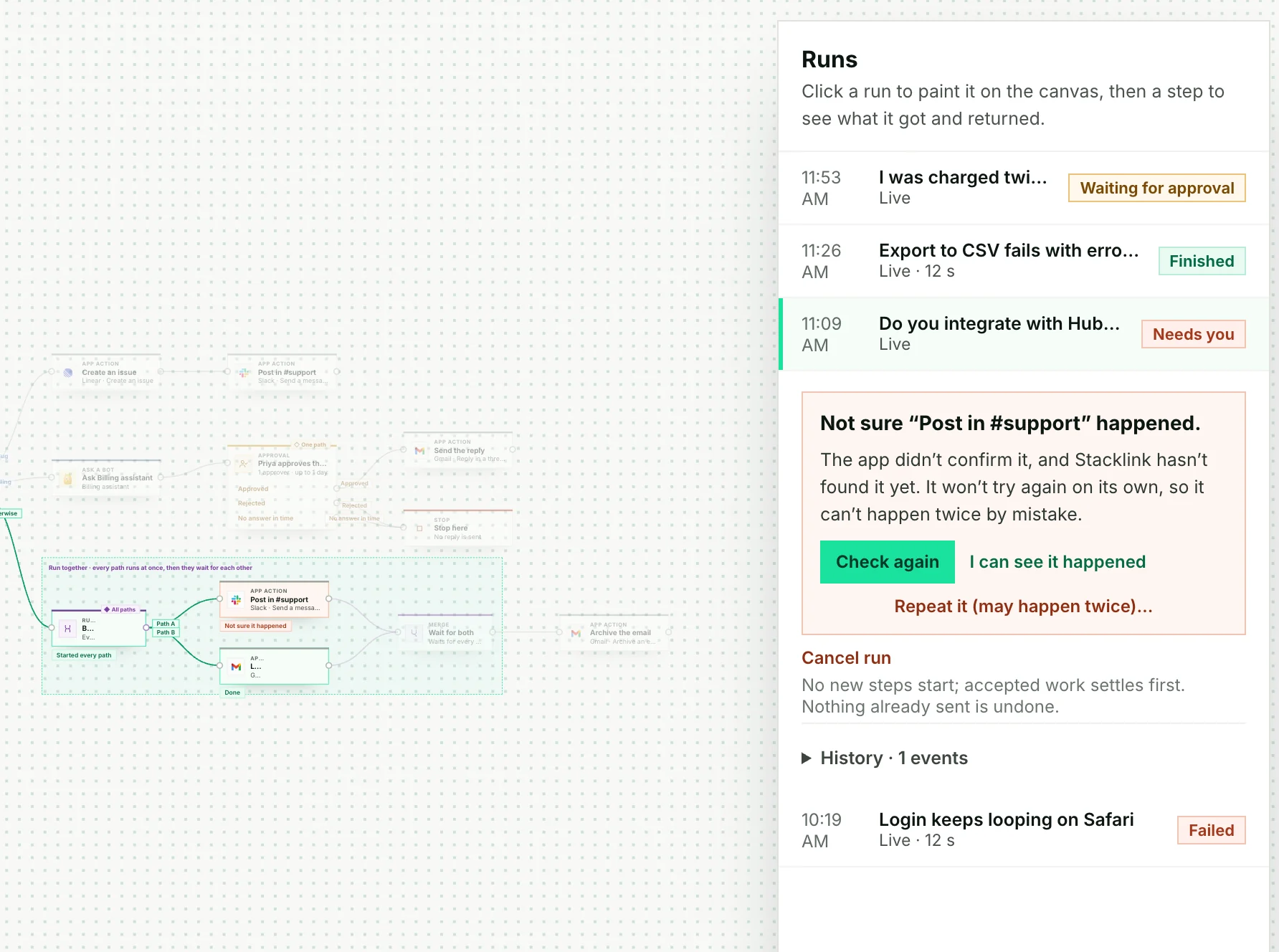
Sometimes an app takes an action but its reply gets lost. Stacklink won’t guess and send it twice. It asks you.
Which button to use
Open Runs, click the run, then click the step. Look at what it received and returned before you choose.
| You see… | Choose | What happens |
|---|---|---|
| A failure you’ve fixed, before Stacklink accepted an external execution (or a step that is safe to repeat) | Retry from “step” | The same run continues. Finished steps stay done. |
| “Not sure it happened” | Check again | Checks the existing action without repeating it. The workflow can continue once its outcome is known. |
| You found it in the app yourself | I can see it happened | Records your confirmation and reason. |
| The app may already have it, and you accept it might happen twice | Repeat it (may happen twice) | Tries again on purpose, with your reason saved. |
| You want a fresh start | Run again with what’s live | A new run, using the published version. |
| You want it to stop | Cancel run | Stops work that hasn’t started. Can’t undo what’s done. |
What Stacklink keeps
- Finished steps, with their results.
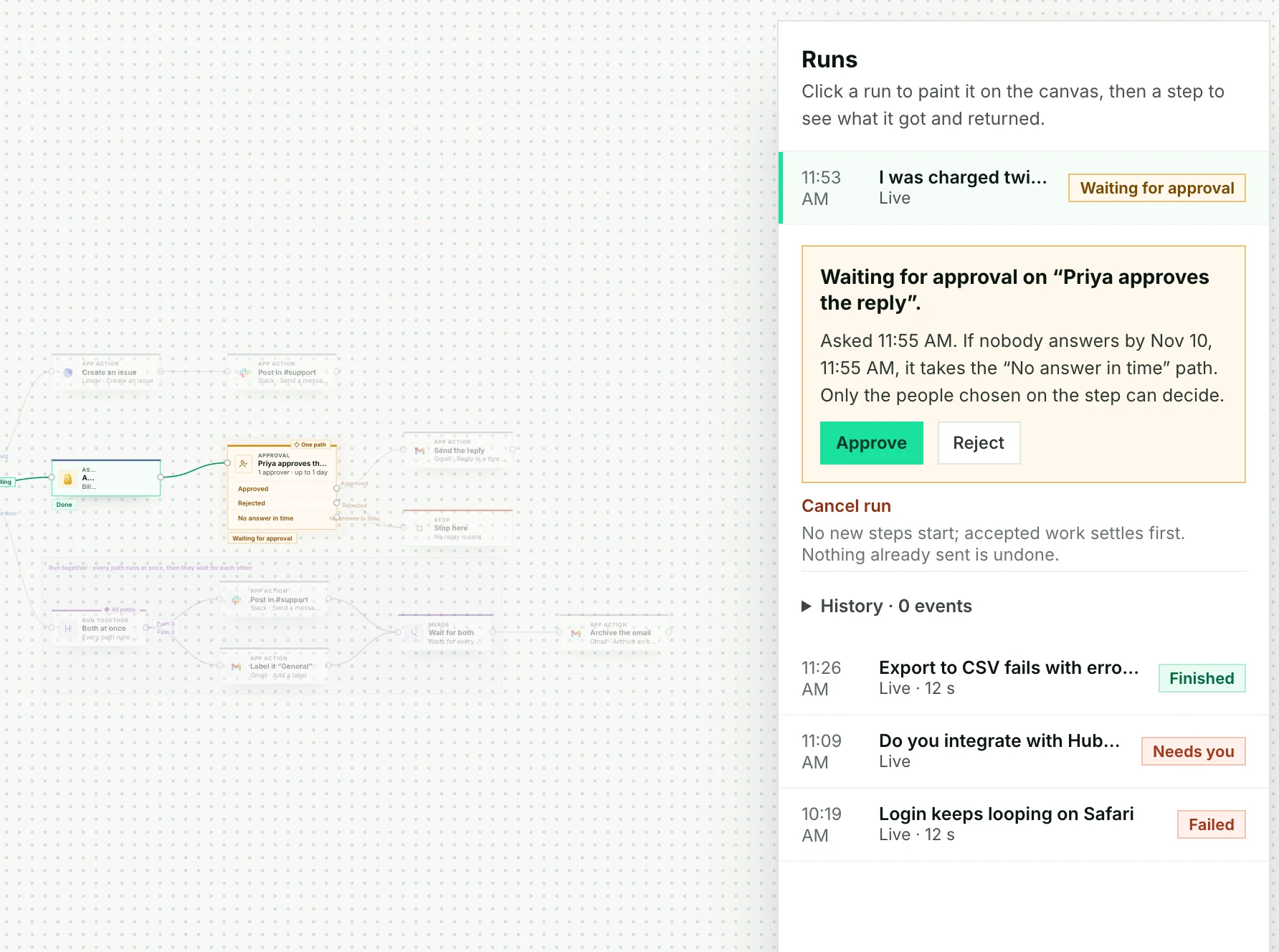
- Waits for a time, an event, an approval or a form. You can close your browser.
- The setup a run started with, including the Bot and child-workflow versions, even if you publish changes later.
- Runs that are queued when you’re at capacity.
Limits worth knowing
- Recovery happens between steps. A code step restarts from its beginning, not from the middle of the script.
- A Bot’s reasoning isn’t replayed word for word.
- No system can guarantee an email is sent exactly once. That’s why Check again and Repeat are separate.
- Retry is refused once Stacklink has recorded an accepted external execution, unless the step is safe to repeat. This can apply even if that attempt failed before reaching the app. Inspect it, then use Repeat it (may happen twice) with a reason if you decide to try again. (API error:
workflow_retry_requires_review.) - Retry and Repeat aren’t available once the run has finished, been cancelled, or already continued down that step’s failure path. Use Run again with what’s live instead.
- A run keeps its setup, but if someone’s access is removed, that still applies.
Recovering a For each
- Open the failed or uncertain item’s own child run, and recover it there.
- Back on the parent: choose Check again if the collection is uncertain, or Retry from here if it failed.
- Finished items stay saved and aren’t run again.
You can’t Repeat or manually confirm the whole collection. Cancel starts no new items. Remember steps work the same way: a retry checks the saved Memory note instead of saving it twice.
For developers: retrying a request safely
If a request to start a run times out, send it again with the same job key, the same input and the same caller. You get the original run back, with the setup it captured. A different request with the same key returns 409.
Keys belong to one workflow and one customer. A new session doesn’t reset them, and they stay reserved while the run record is kept. Run and recovery reference →