Test and publish
Try it without risk, then publish when it’s right.
Saved isn’t published. Your edits are a draft. The live workflow keeps running the old version until you publish.
Two ways to test
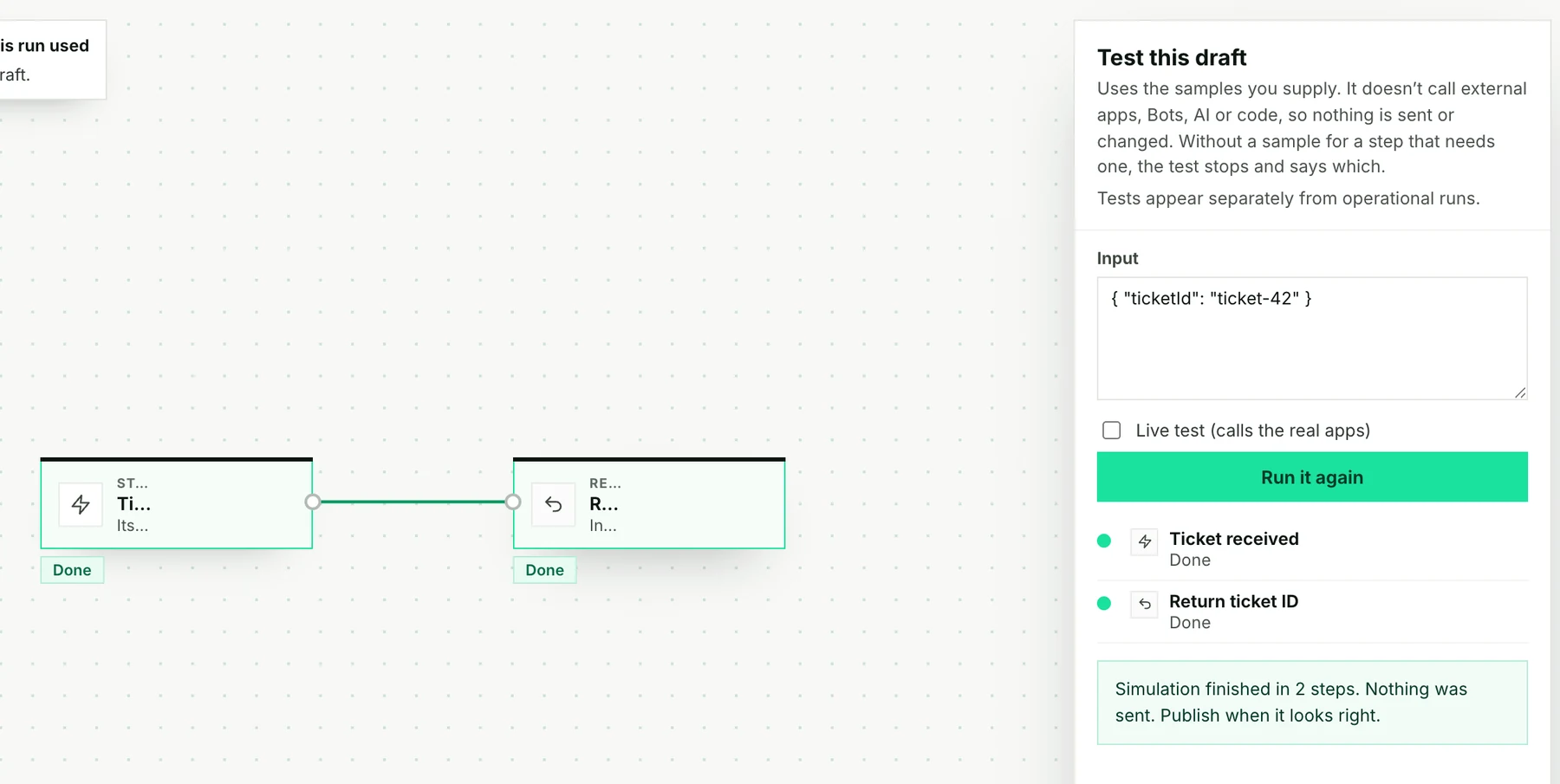
| Simulation | Live test | |
|---|---|---|
| Calls your apps? | No. It uses sample answers. | Yes. |
| Can send emails or change data? | No | Yes |
| Good for | Checking the path and the fields | Checking the real connection |
Start with a simulation. Each step that would reach outside Stacklink (an app, AI, a Bot, code or Memory) needs a sample answer; a missing sample stops the test. A simulated Slack message is not a real Slack message. Live tests count toward usage.
Publish
The first time, choose Publish. After that, choose Review changes, check the steps and the triggers, then choose Publish changes.

What the labels mean
| Label | Meaning |
|---|---|
| Draft | Never published |
| Live | Published and ready to run |
| Live · Unpublished changes | The live version runs; your edits wait as a draft |
| Paused | No new runs start |
Runs that already started keep the version they started with. Pause stops new runs only. Cancel stops one run, but can’t undo an email that was already sent.
If someone else saved at the same time
Stacklink won’t overwrite their work. Load the latest draft, then make your change again.
Next: Start it automatically →