Embed the builder
Let your customers build workflows inside your own app.
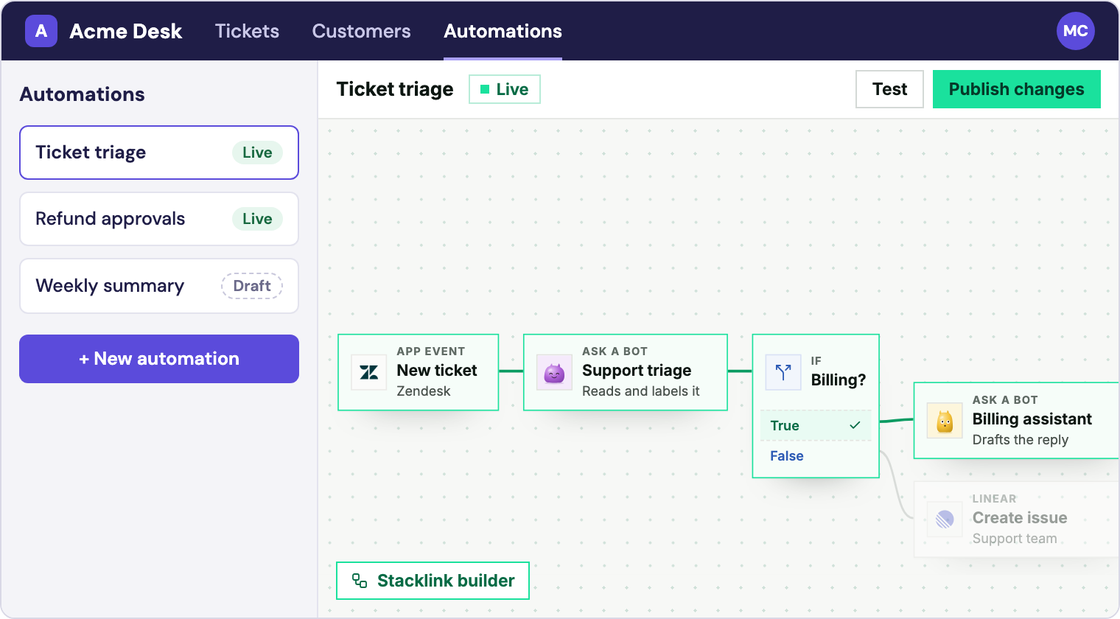
Your customers get Stacklink’s workflow editor inside your product, using their own accounts. You build the lists and reports around it in your own design.
Versions: server SDK 0.6.4, browser builder 0.1.0-preview.2 (preview).
Turn it on in Stacklink
Open Workflows → Embed.
- Turn embedding on and add your app’s exact address, for example
https://app.example.com. Use separate staging and production settings. Plainhttponly works for localhost. - Choose what customers may use: apps and actions, published Bots, shared workflows, saved APIs, steps and triggers.
- Create a server key with
workflows:read,workflows:manage,workflows:runandsessions:create, plus the connection, tool and Bot permissions for what you allowed.
Ask Stacklink for access, from your server
When a signed-in user opens the builder, your server asks Stacklink for short-lived access. Your project key never goes to the browser.
import { Stacklink } from '@stacklink/sdk';

const stacklink = new Stacklink({
  apiKey: process.env.STACKLINK_API_KEY!,
  baseUrl: process.env.STACKLINK_API_URL ?? 'https://api.stacklink.in',
});

type AuthorizedPerson = {
  customerId: string;
  userId: string;
  role: 'viewer' | 'editor' | 'publisher';
  mayDecideAssignedTasks: boolean;
  mayViewUsage: boolean;
};

export async function issueAccess(person: AuthorizedPerson) {
  return stacklink.workflows.issueEmbeddedAccess({
    customerId: person.customerId, userId: person.userId,
    origin: process.env.HOST_APP_ORIGIN!, // Registered origin, not a request field.
    role: person.role,
    decideApprovals: person.mayDecideAssignedTasks,
    viewUsage: person.mayViewUsage,
  });
}
Return this as JSON from your own /api/workflow-editor-access route, with Cache-Control: no-store. Decide the customer, person and role from your login, never from what the browser sends.
| Role | Can |
|---|---|
| Viewer | Look at workflows and runs |
| Editor | Edit drafts and run simulations |
| Publisher | Everything an editor can, plus publish, pause, live tests and recovery |
decideApprovals lets this person decide approvals assigned to them; it’s separate from the role. viewUsage shows money fields and also needs billing:read on your key. workflowId limits access to one workflow.
Show the builder on your page
npm install @stacklink/workflow-builder@0.1.0-preview.2<div id="workflow-builder" style="height: 760px"></div>import { mountWorkflowBuilder } from '@stacklink/workflow-builder';
const element = document.getElementById('workflow-builder');
if (!element) throw new Error('Missing builder container');
const builder = mountWorkflowBuilder(element, {
getAccess: async () => {
const response = await fetch('/api/workflow-editor-access', {
method: 'POST', credentials: 'same-origin',
// Add your application's normal CSRF header here.
});
if (!response.ok) throw new Error('Editor access is unavailable');
return response.json();
},
open: { view: 'new' },
toolbar: true,
});
const offError = builder.on('error', ({ code, message }) => {
console.error(code, message); // Show a useful host error state.
});
const offSaved = builder.on('saved', ({ workflowId }) => {
console.log('Saved draft', workflowId); // Refresh your authorized list.
});
await builder.ready;
// In your page/component cleanup:
// offError(); offSaved(); builder.destroy();You should now see the Stacklink canvas on your page. Try the Ticket intake example in it.
To open a saved workflow, use open: { view: 'workflow', workflowId }. To open one run, use open: { view: 'run', workflowId, runId }; its graph is read-only, and Open current draft leaves it. Permitted recovery buttons still work there.
Let customers connect their apps
App steps use the same App → Action → Account picker. Connect opens Stacklink’s sign-in popup, and the editor checks the result. Cancel, denial and reconnect use the same flow. Credentials stay with Stacklink.
- Customers only see what you allowed, and only their own accounts.
- Shared workflows show their name and inputs, not their private steps, and run with the customer’s access.
- For saved APIs, Stacklink sets your customer header. Your API must check that customer ID on every record.
- Turning on Remember gives access to that signed-in person’s permitted Memory only.
Build your own lists and reports
From your server, list each customer’s workflows, runs and usage, and show them your way.
// Derive customerId from the authenticated host session.
const customer = stacklink.workflows.forCustomer(customerId);
const workflows = await customer.list({ limit: 50 });
const runs = await customer.activity({ purpose: 'operational', limit: 50 });
const report = await customer.analytics({ days: 30 });
Test with two customers before launch
Create a workflow as one customer, then check the other customer can’t see it, its runs or its accounts, even with its ID.
React wrapper
Use the same getAccess callback with:
import { WorkflowBuilderView } from '@stacklink/workflow-builder/react';

<WorkflowBuilderView
  getAccess={getAccess}
  open={{ view: 'workflow', workflowId }}
/>
Give the parent a real height. Derive workflowId from your authorized workflow list.
Person-scoped lists and approvals
Issue a separate access bootstrap for the signed-in person using the same issueAccess(person) helper. Exchange this one on the backend; keep its token server-side. Do not reuse the iframe’s one-use bootstrap.
const inboxBootstrap = await issueAccess(person);
const access = await stacklink.workflows.exchangeEmbeddedAccess(
  inboxBootstrap.bootstrapToken, process.env.HOST_APP_ORIGIN!,
);
const delegated = stacklink.workflows.withEmbeddedAccess(
  access.projectId, access.accessToken,
);
const inbox = await delegated.approvals({ limit: 50 });
When that person chooses an assigned workflow approval, call:
await delegated.decideApproval(taskId, { kind: 'workflow', value: 'approved' });taskId comes from their inbox. Forms require their saved answer shape. Protected app-action approvals instead use kind: 'action', expectedRevision, the requirement and approve/decline decision. Expired, settled and unassigned tasks cannot be decided. Publisher does not imply approver.
Renewal, a different person, and stopping
getAccess runs when the builder opens and again before access expires. Return { bootstrapToken, embedUrl, expiresAt } unchanged. A bootstrap works once and lasts two minutes; editor access lasts 15 minutes. Keep tokens in memory, not in URLs or third-party cookies.
| When… | What happens |
|---|---|
| The same person renews | Their unsaved edits are kept |
| A different customer or person signs in | Remove the builder and mount it again for them |
| The editor closes or access expires | Published workflows keep running |
| A workflow is paused | No new runs; started runs continue |
| A customer’s automations are turned off | No new work, and no later actions that need their access |
| A person is removed | Their access ends, and their own accounts can’t be used |
Actions already sent may still finish. Turning automations back on doesn’t unpause workflows or retry failed runs.
Optional host toolbar, events and errors
Keep Stacklink’s toolbar by default. With toolbar: false, drive your controls from getState() and the state event: permissions, saving, validation, busy, undo/redo, unsaved and unpublished changes.
Commands: save(), undo(), redo(), setMode('build' | 'test'), test(...), openPublishReview(). Publish still opens Stacklink’s review dialog.
const accepted = await builder.test({
  mode: 'simulation', requestKey: 'ticket-test-42',
  input: { ticketId: 'ticket-42' }, samples: {},
});
console.log(accepted.runId); // Accepted, not necessarily finished.
Live tests require publisher permission and explicit confirmation. Reuse requestKey after outcome_unknown.
Events: ready, state, saved, invalid, testAccepted, testFinished, published, closeRequested, accessExpired, error. on() returns an unsubscribe function. destroy() removes listeners/frame, stops renewal and drops unsaved browser edits; it does not cancel runs.
Handle access_expired, access_revoked, origin_not_allowed, embed_disabled, role_required, approval_not_assigned, automations_off and workflow_unavailable. Opening errors reject ready. Never fall back to a different customer or a project-wide resource.
Next: Usage and analytics →